Design-Accurate Rebuild
Every page rebuilt to match your Framer design at desktop, tablet and mobile sizes, using reusable WordPress blocks or Elementor templates instead of one-off layouts.
Framer to WordPress
Keep the design you love and gain everything WordPress offers: your own hosting, unlimited content, WooCommerce and thousands of plugins. I rebuild your Framer site in WordPress, move your CMS content and protect your rankings with a full redirect plan.
Direct answer
The short version, before we get into the details.
To move from Framer to WordPress, the design is rebuilt in WordPress and the content is migrated, because there is no one-click converter between the two platforms. Framer CMS collections are exported (usually as CSV) and imported into WordPress posts or custom post types, every URL is mapped to its new address, and 301 redirects are added for anything that changes. The domain is switched only after the new site has been checked on staging.
Framer is excellent for designing and launching a polished marketing site quickly. As a business grows, the site often needs things Framer was not built for: a large blog, an online store, memberships, multilingual content, CRM integrations or simply the freedom to choose where the site is hosted.
WordPress powers a large share of the web and has an ecosystem for almost every need. Moving gives you full ownership of your files and database, with a design that still looks like the site you invested in.
What's included
Everything needed to move a live Framer site, not just a copy of the homepage.
Every page rebuilt to match your Framer design at desktop, tablet and mobile sizes, using reusable WordPress blocks or Elementor templates instead of one-off layouts.
Blog posts, case studies, team members or job listings moved into WordPress posts or custom post types with matching fields, slugs, images and categories.
Hover effects, scroll animations and interactive components recreated with lightweight CSS and JavaScript or your page builder's motion effects, without slowing the site down.
Contact forms, newsletter sign-ups, analytics, booking tools and CRM connections rebuilt and tested, with spam protection and email notifications.
Titles, meta descriptions, social images, headings and alt text carried over, with an XML sitemap, structured data and 301 redirects for every changed URL.
Hosting set up with SSL, backups and caching, the domain switched from Framer, Search Console updated, and a short walkthrough so your team can edit with confidence.
Comparison
Both are good tools. They are built for different stages of a website's life.
| Area | Framer | WordPress |
|---|---|---|
| Hosting | Hosted by Framer only | Any host you choose |
| Design editing | Visual canvas, very design-friendly | Block editor or a page builder such as Elementor |
| Content | CMS collections with plan-based limits | Posts, pages and custom post types, limited only by hosting |
| Ecommerce | Usually third-party embeds | Full store with WooCommerce |
| Extensions | Framer marketplace plugins and components | Tens of thousands of plugins |
| Ownership | The site runs on Framer's platform | You own the files and the database |
If your site is a small, design-led marketing site and your team enjoys Framer, staying may be the right call. I will say so if that is the case.
Process
Your Framer site stays live until the new WordPress site is approved.
Proof
Moving off a hosted website builder follows the same method, whichever builder it is.
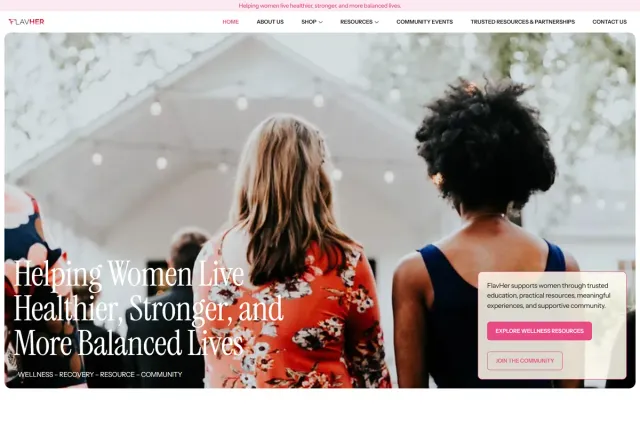
A wellness brand moved from Wix to WordPress and Elementor, with 301 redirects from old pages, articles, products and categories, plus a WooCommerce shop. Read the case study.

My own site rebuilt on a new platform with the same design and every URL kept, checked page by page with an automated QA script. Read the case study.
More WordPress rebuilds for fitness, finance, nonprofit, real estate and ecommerce brands. Browse the portfolio.
Common questions
Quick answers about design, content, SEO and the switch-over.
No. There is no one-click way to turn a Framer site into a working WordPress site, so the design is rebuilt in WordPress. Framer CMS content can usually be exported to CSV and imported, which saves re-typing every item.
Yes. Each page is rebuilt to match your Framer design on desktop, tablet and mobile, including typography, spacing and colours. Animations and interactions are recreated where they add value, using CSS, JavaScript or your page builder's motion effects.
Not if the migration is planned around SEO. URLs are kept wherever possible, titles, meta descriptions and social images are carried over, and any URL that changes gets a 301 redirect. After launch, a 404 log shows any old link that still needs attention.
Each collection becomes WordPress posts or a custom post type with matching custom fields, so blog posts, case studies, team members or job listings keep their structure, slugs and images.
Yes. Depending on your preference the site is built with the WordPress block editor or Elementor, both of which let you edit text, images and layouts visually without touching code.
No. Your Framer site stays live while WordPress is built and reviewed on a private staging site. The domain is switched only after you approve the new site, and you can cancel your Framer plan afterwards.
Yes. I can recommend hosting that suits your traffic and budget, set it up, and configure SSL, backups, caching and security, or deploy to hosting you already have.
Ready to move?
Send your Framer site's address and tell me what you need WordPress for. You will get a clear scope, timeline and quote.